History
This system was developed to assist the Velocidrone championship of the whatsapp group Simuladores Drone Racing.
This group was created by ZediFPV on January 5, 2018 in order to unite the pilots of drone simulators in one place.
To access the group you can contact us through with sbrfpv@gmail.com.
Operation
From Monday to Sunday, riders can, at any time, run races on the chosen circuit for the current week.
Every pilot who has time registered on the Velocidrone leaderboard for the week's circuit is automatically participating in the championship.
If the pilot does not want his time to appear in the system's time lap list or does not want to participate in the championship, he can hide the time lap in the menu Profile.
Note: On Sunday at 12am (midnight), the pilot with the hidden time is considered a non-participating pilot and does not receive any points.
We have 3 types of classifications, they are:
Faster Lap
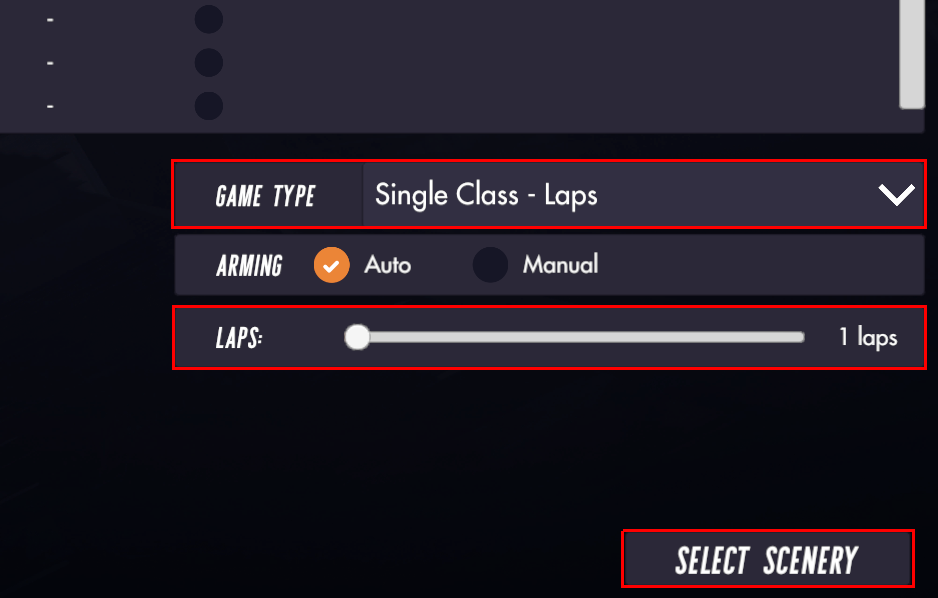
To compete in the fastest lap classification, the pilot must, when choosing the circuit of the week, running in Single Player or Multiplayer mode, choose the type of game Single Class - Laps and the number of laps equal to 1.
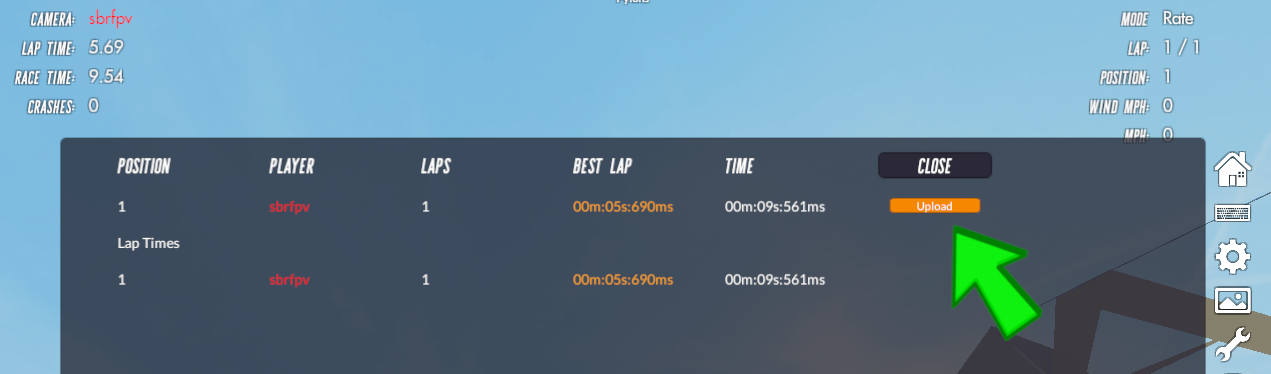
Once the pilot has completed his lap, the game will display the race time and the Upload button* will be displayed so that his time is sent to the game's leaderboard.
There are situations where manual submission times are required, they are:
- Communication failure with the velocidrone server
- Be very close to or after 200 positions in the Velocidrone ranking
- Fastest lap performed within Single Class - Three Lap Race
- Fastest lap performed within Nemesis
For the image to be considered valid, it must meet at least 1 of the requirements below:
1 - Have the Upload button that proves the Single Class game mode
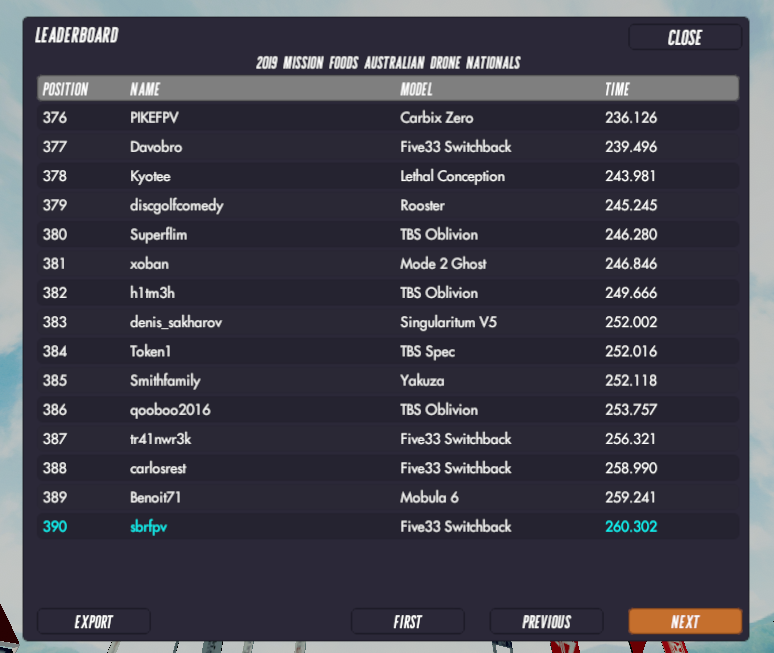
2 - Leaderboard Update table with fastest lap time
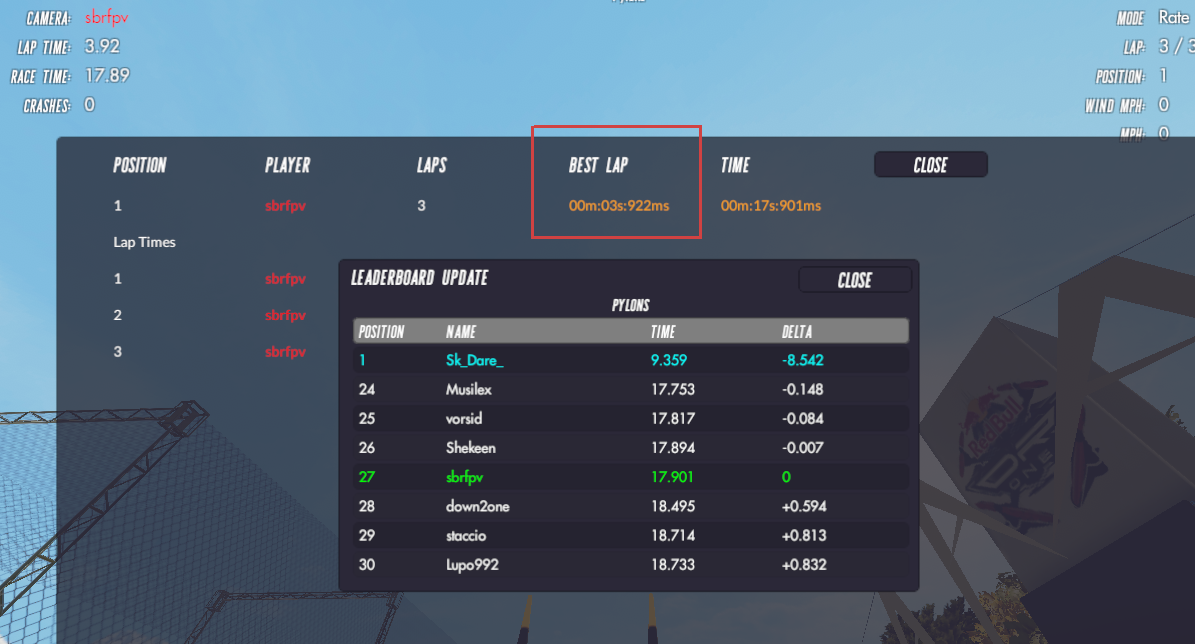
3 - Have the Leaderboard Update table next to the fastest lap time
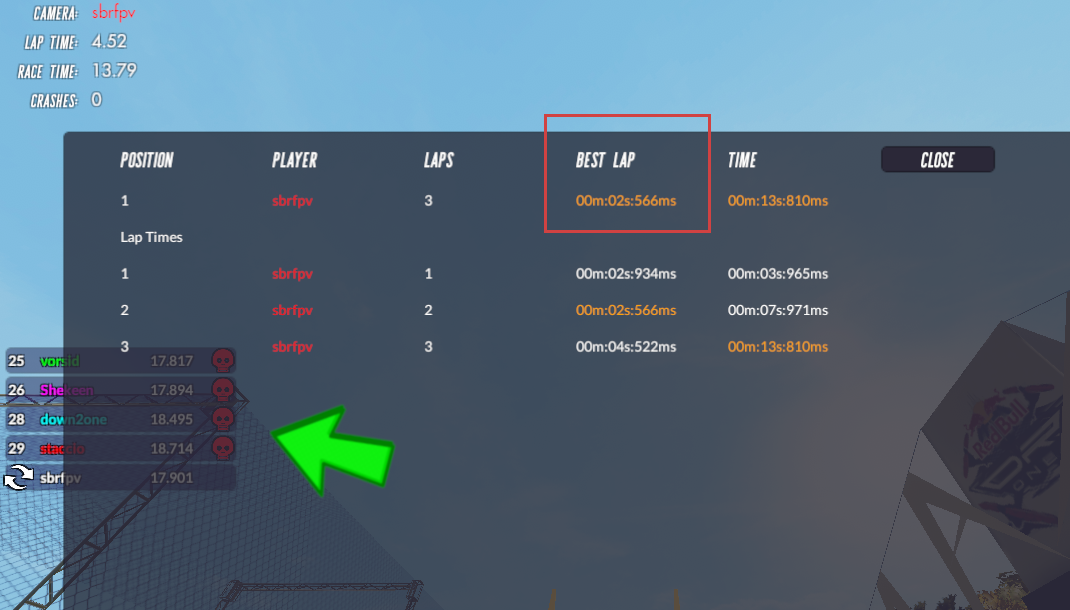
4 - Have the Nemesis pilots list along with the fastest lap time
To send time manually, click here (login required).
* If the fastest lap time is longer than another time already sent, the button for sending time is not displayed. To set up automatic time sending, click here.
Three Laps
To compete in the three laps classification, the pilot must, when choosing the circuit of the week, running in Single Player or Multiplayer mode, choose the type of game Single Class - Three Lap Race.
The other way to participate in the classification of the three laps, is to choose the race option Nemesis.
Once the pilot has completed his three laps, the game will display the race time and the Upload button* will be displayed so that his time is sent to the game's leaderboard.
There are situations where manual submission times are required, they are:
- Communication failure with the velocidrone server
- Be very close to or after 200 positions in the Velocidrone ranking
For the image to be considered valid, it must meet at least 1 of the requirements below:
1 - Have the Upload button that proves the Single Class game mode
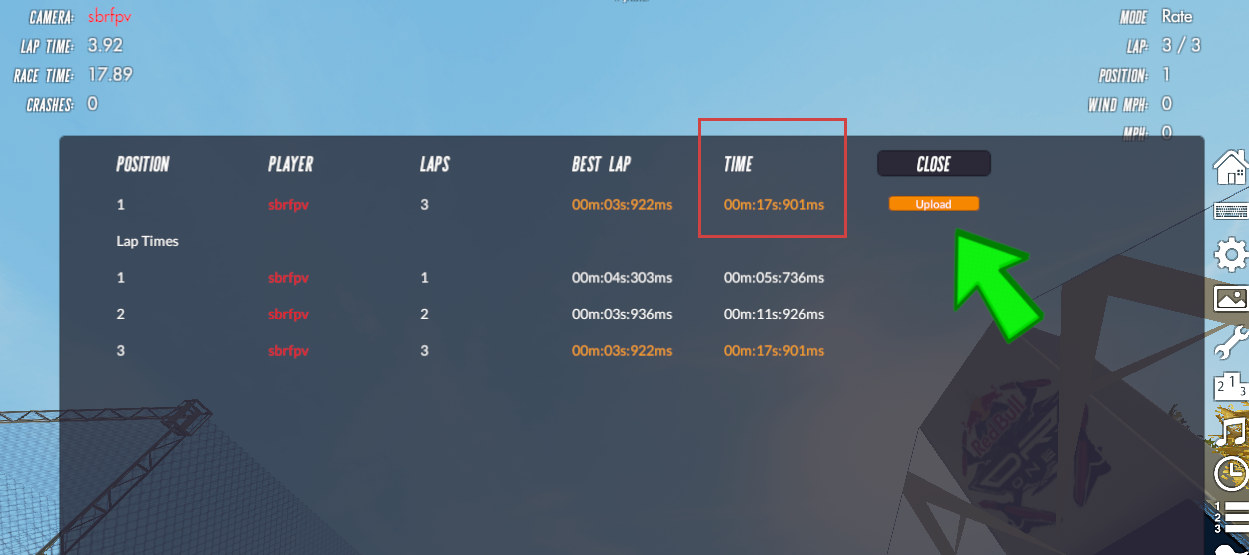
2 - Leaderboard Update table with the time of the three laps
To send time manually, click here (login required).
* If the three laps time is longer than another time already sent, the button for sending time is not displayed. To set up automatic time sending, click here.
General
The general classification includes the sum of points that the driver has in the fastest lap and three laps competitions.
Suggestion for a circuits
From Monday at 00:01 until Saturday at 23:59 the pilot registered in the system can access the menu Circuit of week option Suggestion and choose one or more circuits as a suggested circuit to be voted for the following week.
At the end of the vote, if the circuit is not chosen as the circuit of the week, it will remain registered in the system and will automatically enter as a suggestion for the next vote.
If you do not have the user registered in our system, click here.
Choice of circuit
On Sunday, from 00:01 until 23:59, any user, registered or not in the system, can vote for one of the suggested circuits to be the circuit of the week.
At 00:01 on Monday the circuit with the highest number of votes is automatically selected as the circuit of the week and removed from the list of circuits to be suggested for next week's vote.
If there is a tie between the circuits, the system does not perform any operation. In this case, the vote remains open until a tiebreak vote occurs. As soon as the vote is taken, voting is over and the week's circuit is available for the week's competition.
Punctuation
Every driver participating in the competition of the week, regardless of the position in which he is ranked, receives 1 point of participation in the fastest lap race and 1 point of participation in the three laps race.
In addition to the participation points, the positions below receive the following extra points:
1st position = 3 points
2nd position = 2.5 points
3rd position = 2.0 points
4th position = 1.5 points
From the 5th to the 18th position, the points decrease by 0.10
To see the full score table, click here*
* You must be logged in to view the table
Velocidrone Settings
We have listed here the Velocidrone settings for the most common questions of pilots.
Faster Lap Races - Single Player
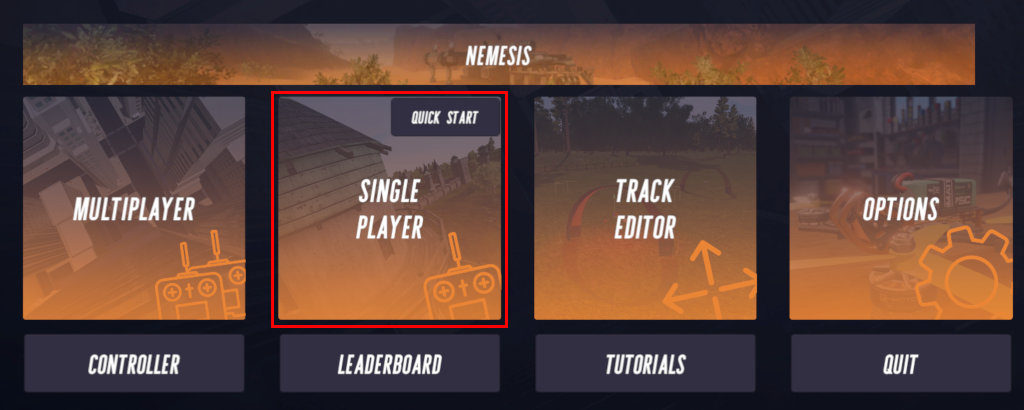
Access the menu Single Player
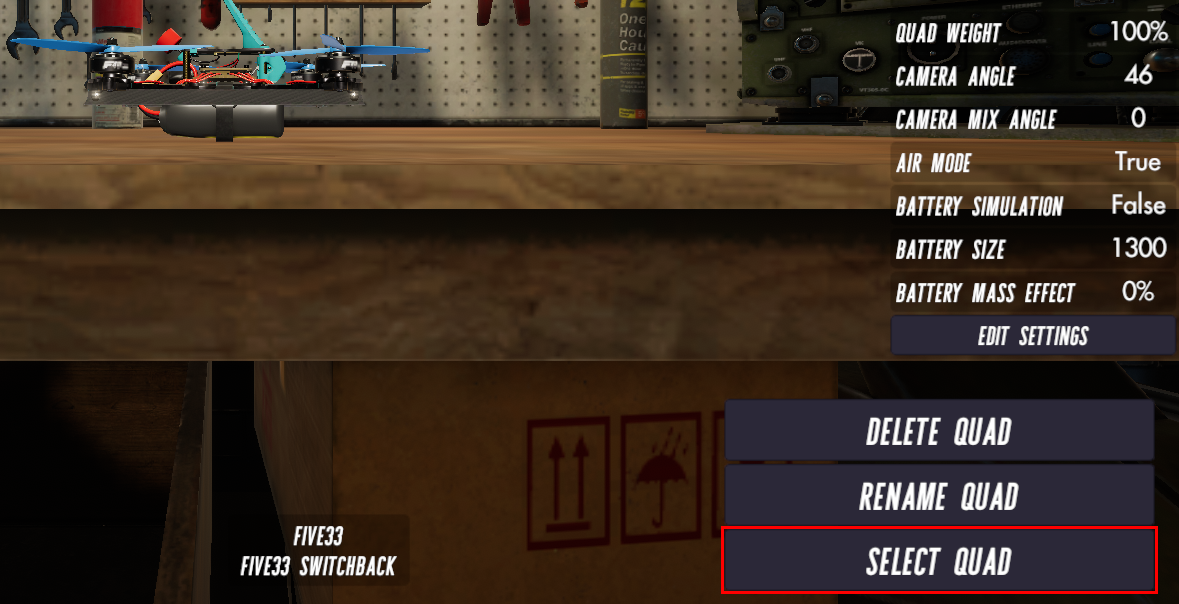
Choose your drone and click Select Quad
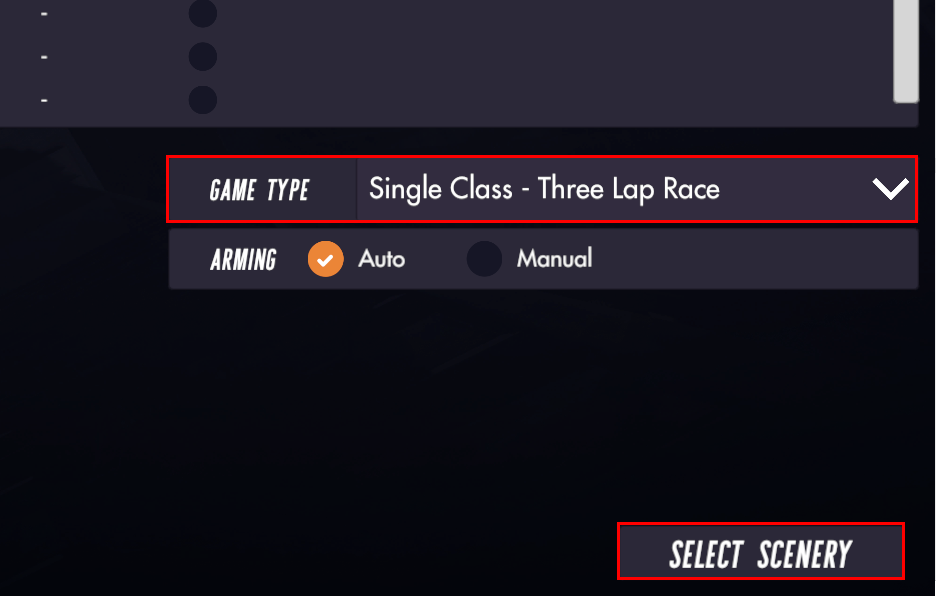
Select the Game Type Single Class - Laps and Laps 1 laps
Three Laps Races - Single Player
Access the menu Single Player
Choose your drone and click Select Quad
Select the Game Type Single Class - Three Laps Race
Multiplayer (Entering a visible room)
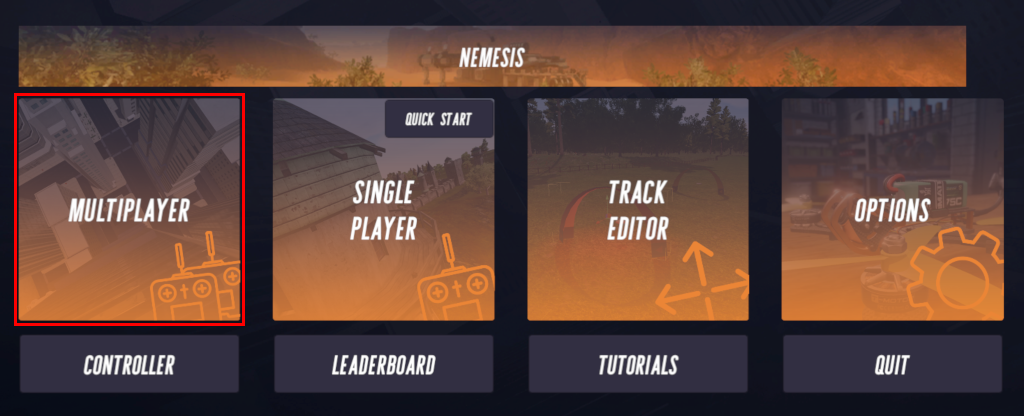
Access the menu Multiplayer
Choose your drone and click Select Quad
Select the server region at Server Region find the room name in the column Session Name (if necessary check the name of the pilot of the room manager at Race Manager), check if the room is open* (white padlock) and click the button Join Session.
* If the room is closed, there is no form of access or communication with the members of the room. We get around this communication situation using the software Discord. To learn more about Discord, click here.

Multiplayer (Entering a hidden room)
Access the menu Multiplayer
Choose your drone and click Select Quad
Select the server region at Server Region, enter the name of the room in Session Name and click the button Join Session

Multiplayer (Creating a room)
Access the menu Multiplayer
Choose your drone and click Select Quad
Select the server region at Server Region where the room will be created, type the name of the room in Session Name or leave it blank for a random name.
If you want the room to be hidden, check the option Hidden Session and click the button Host Session to choose the circuit.

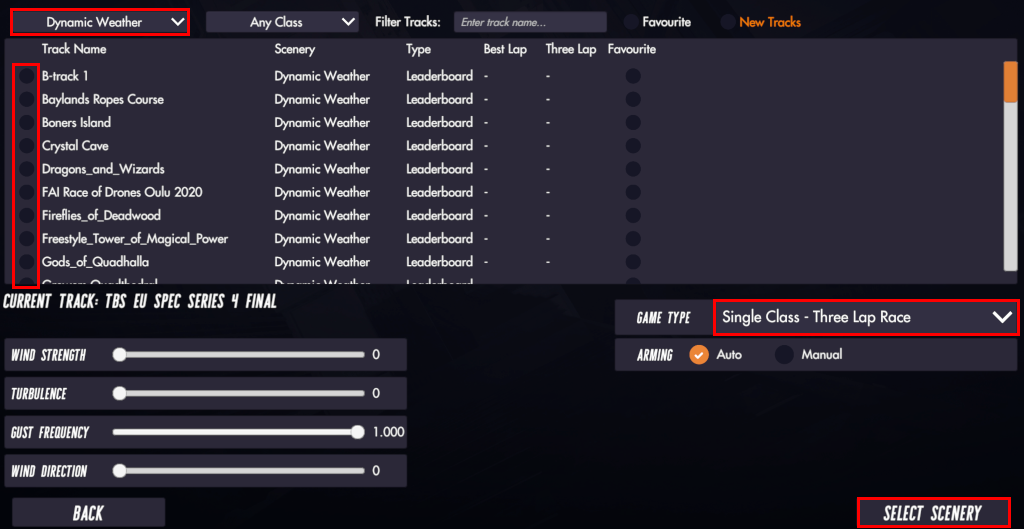
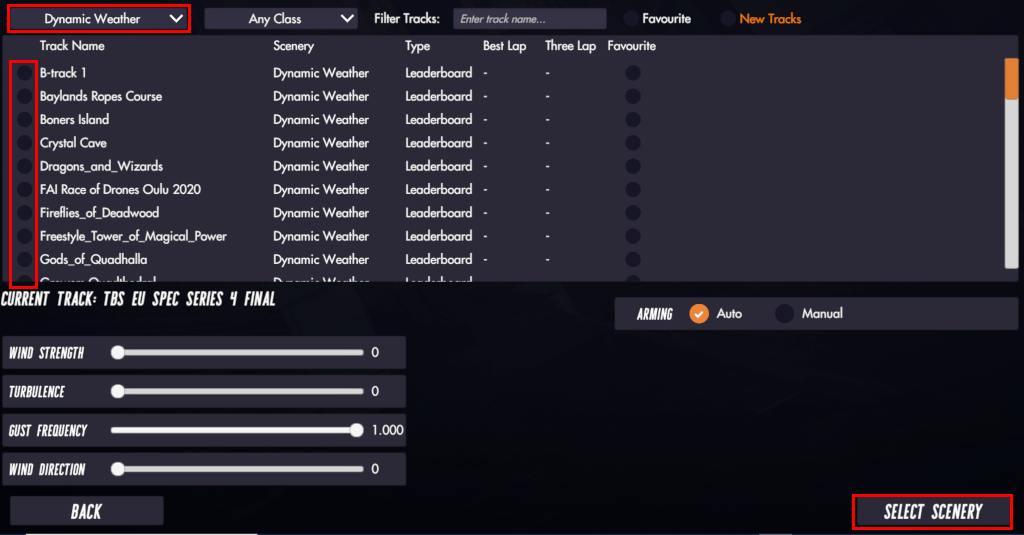
Choose the scenario where the circuit is located in the first list field, check the desired circuit in the first column of options before the name of each circuit and in the option Game Type choice Single Class - Laps with Laps = 1 laps for faster lap race or Single Class - Three Lap Race for three lap race.
Click the button Select Scenery to create the room.
Nemesis - Three Laps Races
In the Nemesis option, it is only possible to run races with three laps.
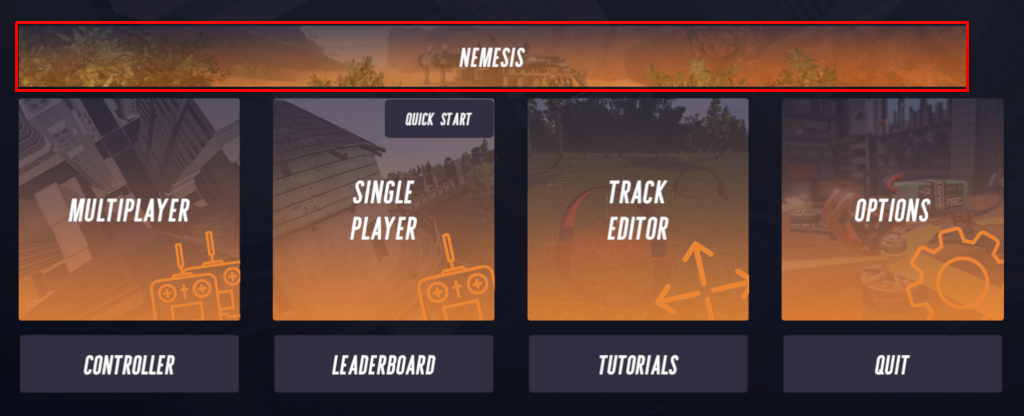
Access the menu Nemesis
Choose your drone and click Select Quad
Choose the scenario where the circuit is located in the first list field, check the desired circuit in the first column of options before the name of each circuit and click on the button Select Scenery.
Download a circuit
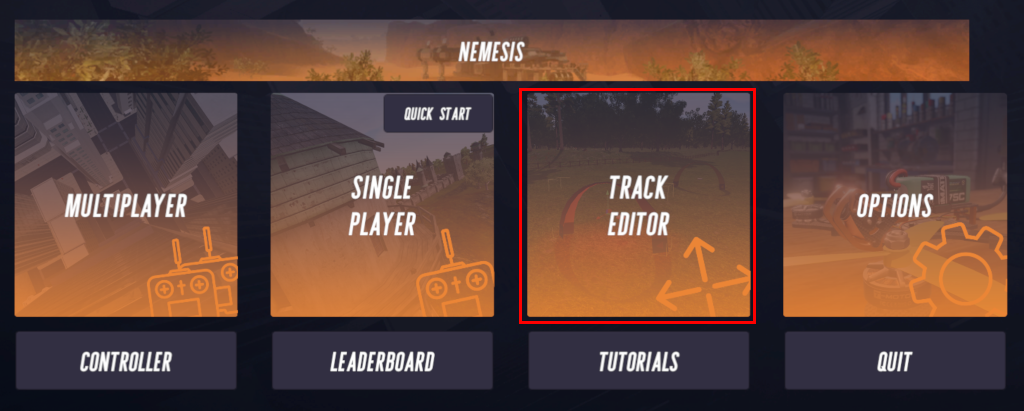
Access the menu Track Editor
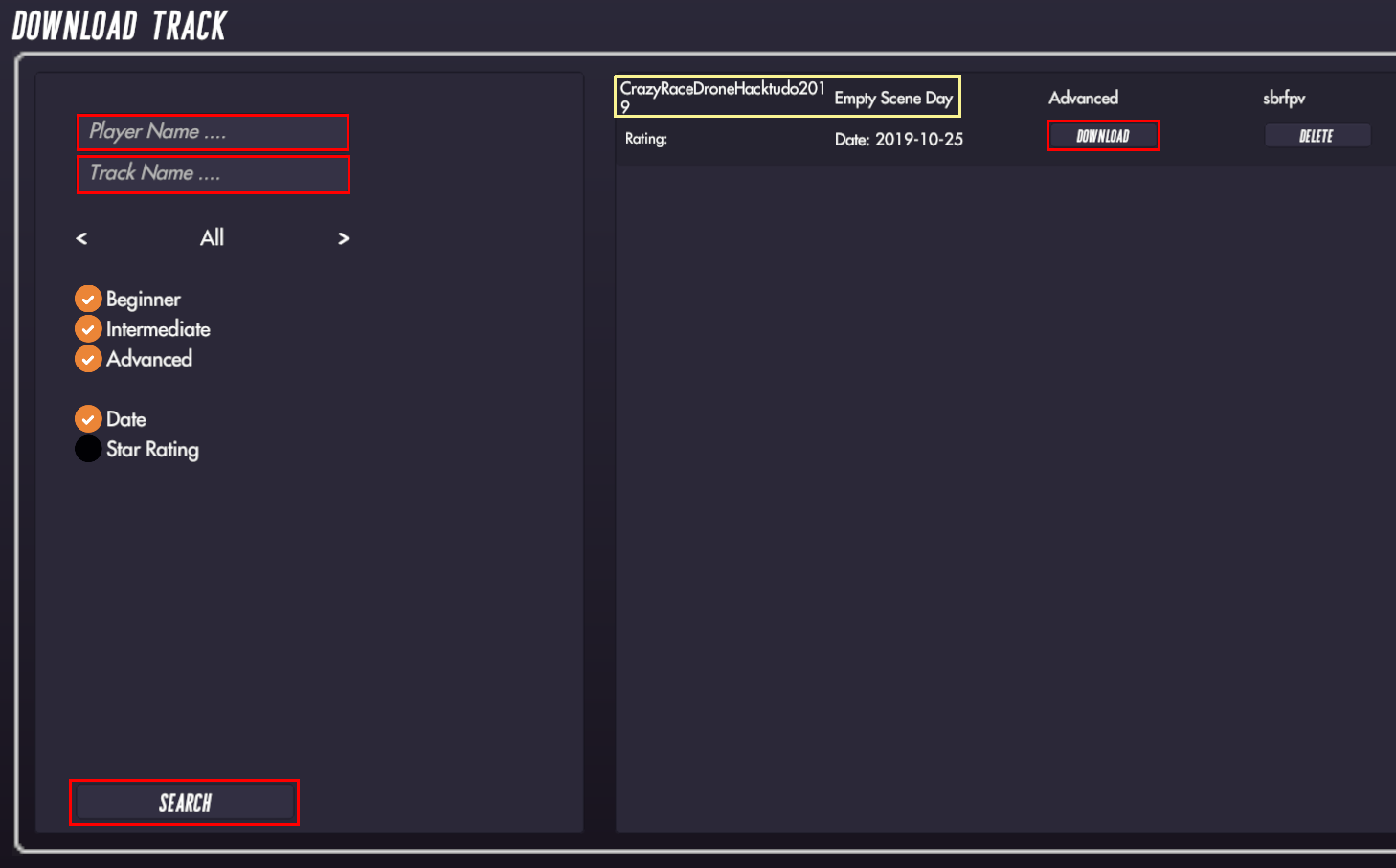
Click the button Download Track

Type the name of the pilot who created the circuit in Player Name and / or write the name of the circuit you are looking for in Track Name and click the button Search.
Once the circuit list is displayed, choose the desired circuit and click on the button Download.
To find your circuit, pay attention to the name of the circuit and the name of the destination scenario.
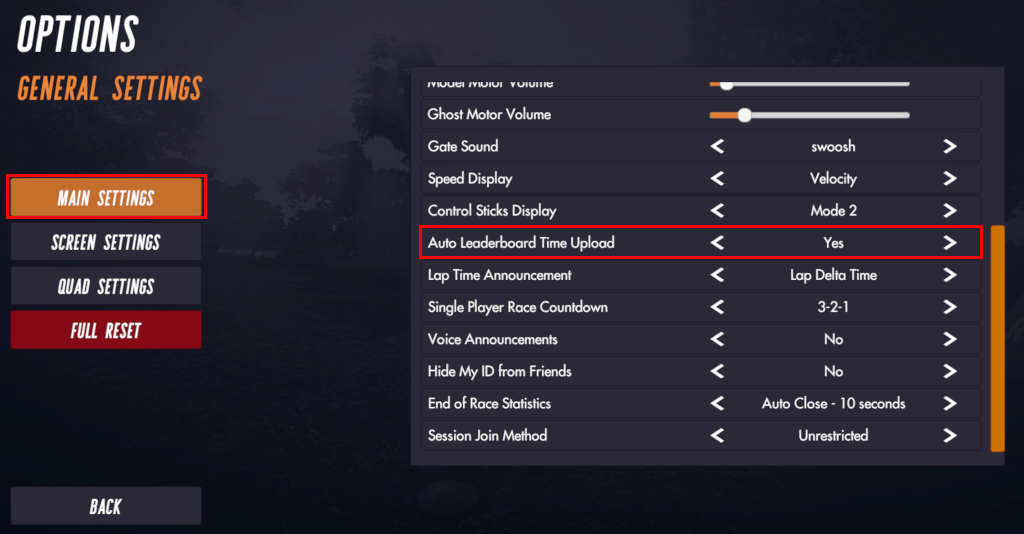
Enabling automatic time sending to the leaderboard
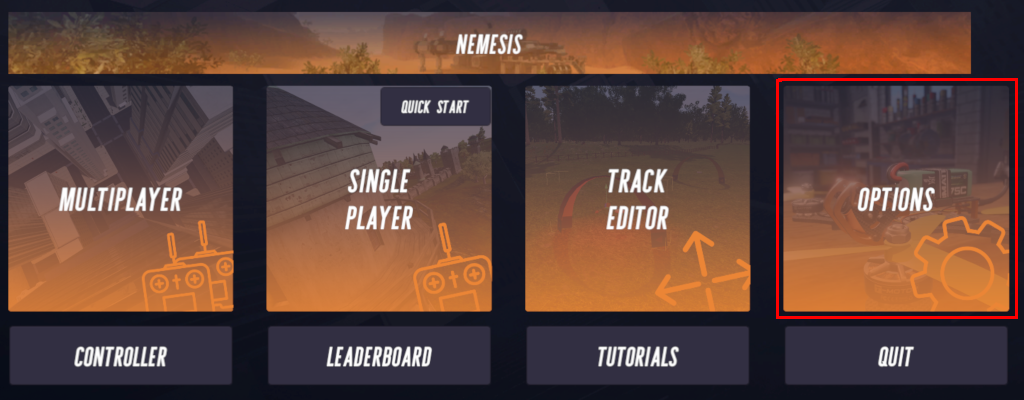
Access the menu Options
Click on the menu Main Settings, the left and the list of items for main settings will be displayed.
In the item Auto Leaderboard Time Upload, leave the option Yes selected.
Discord
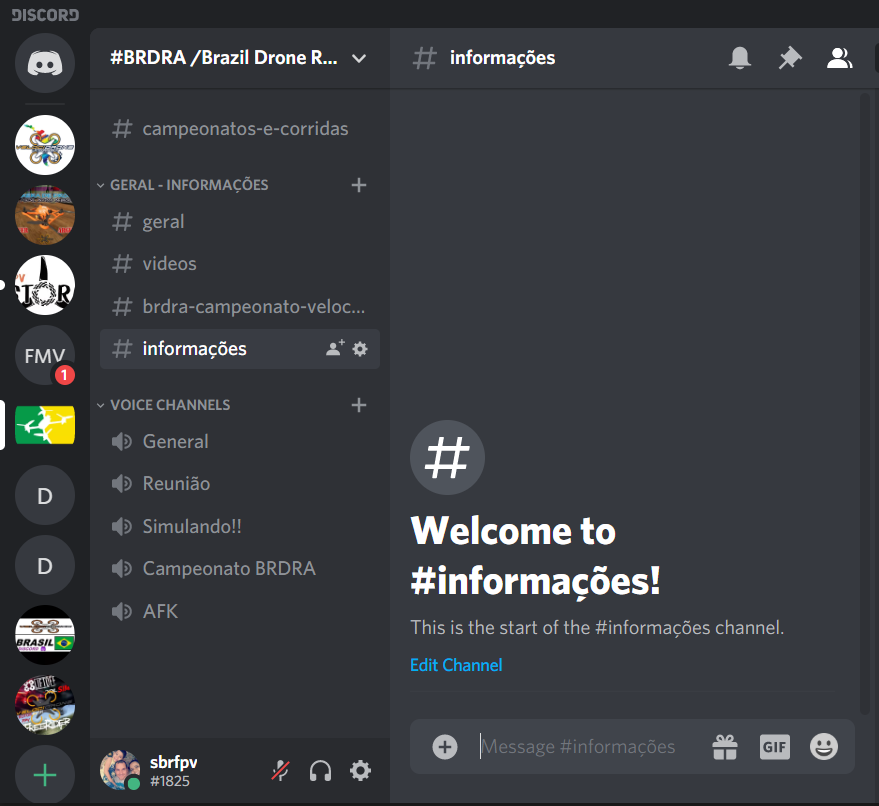
For communication during the championships at Velocidrone, we use Discord.
You can install using one of the options below:
Windows click here
Android click here
iOS click here